
Billing and payment problems
You change your card and download your invoices from My account, My subscriptions section. If a payment fails, your credits are paused until it is paid.
How do I change my card or download my invoices?
- Open My account, My subscriptions section.
- In the "Payment methods & billing" block, choose to change your payment method or to download your invoices.
- You arrive at the secure payment portal of Stripe, which processes our payments.
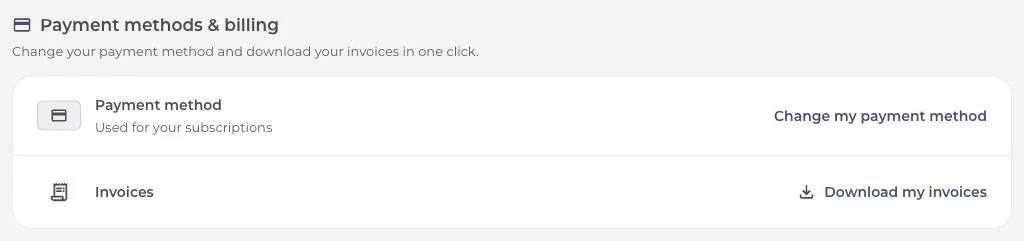
This block appears only if your subscription is billed by Stripe. A subscription taken through the App Store or Google Play is managed from the store (see Cancel a subscription).
Which payment methods are accepted?
The Stripe payment page offers the methods available depending on your country, your bank and your device. Not all of them are offered everywhere.
My payment is declined when I subscribe
Your bank sometimes declines an online purchase. Here is what you can try:
- Try again, and approve your bank's authentication request if it appears.
- Try another card or another method offered on the page.
- If it keeps being declined, ask your bank whether online payments are blocked.
My renewal failed
When the payment for a renewal fails, your subscription becomes past due and your credits are frozen the same day. They are not lost: they come back as soon as the invoice is paid.
You then receive an email "Payment declined: your credits are on hold" with a link to fix it, then the email "Payment received: your credits are back" when the payment goes through. Stripe retries the payment several times over two weeks.
To fix it:
- Open the link in the email, or go to My account.
- Update your card.
- Pay the pending invoice.
If the last attempt fails, the subscription is cancelled. You will then need to subscribe again from the plans page.
Need help?
If a charge looks unusual to you, contact support and give them your account email address and the date of the charge.
Was this article helpful?
In the same topic
Ready to try it?
Turn your songs into sheet music and MIDI files with the La Touche Musicale apps in the HUB.