
Cancel a subscription
Where you cancel your subscription depends on where you took it. A subscription taken on the HUB is cancelled in My account, an Apple or Google subscription from the matching store.
How do I know where to cancel?
Open My account, My subscriptions section. Your subscription appears there with a cancel button if we manage it. If it is billed by the App Store or Google Play, a link takes you to the store, because only the store can change or cancel it.
Cancel a HUB subscription
- Open My account, My subscriptions section.
- On your subscription card, choose Cancel.
- Depending on your situation, an offer may appear: a deal, a goodwill gesture or a pause. A monthly subscription can be paused; a yearly one cannot. You may also be asked why you are leaving.
- Confirm: a window reminds you of the date on which your access and remaining credits will end.
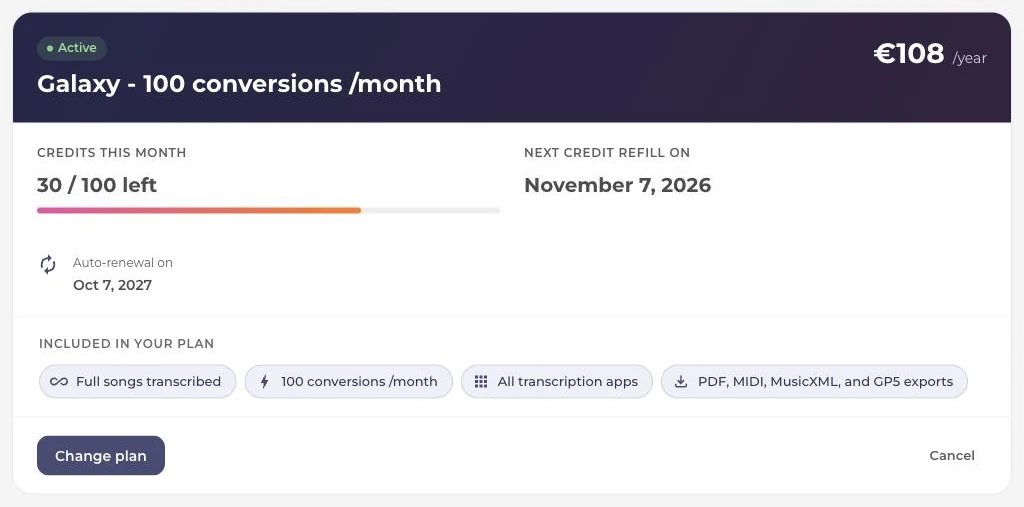
Your access stays active until the end date shown on the card. You can subscribe again at any time.
Changing your mind before the end
As long as the end date has not been reached, the subscription card offers to reactivate it.
Cancel a PianoGo subscription taken on the HUB
Same path: My account, My subscriptions section, then cancel on the subscription card. Pausing and changing plans are not offered for PianoGo.
Cancel a subscription taken on Android
- Open the Subscriptions page in Google Play, with the Google account used for the purchase.
- Tap the subscription in question.
- Tap Cancel subscription, then follow the instructions.
Cancel a subscription taken on iPhone or iPad
- Open Settings, then tap your name.
- Tap Subscriptions, then the subscription in question.
- Tap Cancel Subscription. If the button doesn't appear, scroll down.
If the button is missing and an expiration date is shown, the subscription is already cancelled.
Was this article helpful?
In the same topic
Ready to try it?
Turn your songs into sheet music and MIDI files with the La Touche Musicale apps in the HUB.