
How do you import a file, a link or a recording?
You can start from an audio file, a YouTube link or a recording made on the spot. ScoreConvert also accepts a PDF or images of sheet music.
Which sources can I use?
The import screen offers three sources: a YouTube link, a file, or a recording.
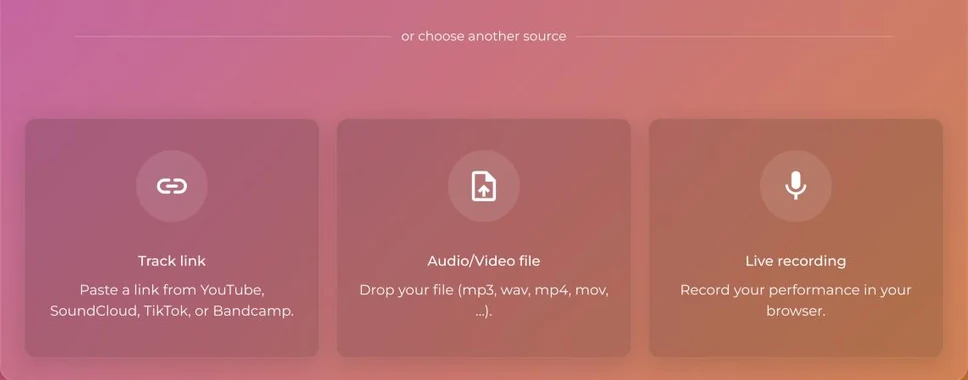
How do I import an audio file?
- Choose the file source.
- Drop your file in the area provided, or click to browse for it on your device.
- Wait for the upload to finish, then go to the next step.
By default, the maximum size is 100 MB and the maximum length is 15 minutes. These limits can be set app by app: the screen shows you the limit if you go over it.
How do I import a YouTube link?
- Choose the YouTube source.
- Paste the video link.
The link must point to a single video: a playlist link (with list=) is rejected, and the video ID must be 11 characters long.
The video must not exceed the app's maximum length, and a live stream cannot be converted: wait for it to end and use the recorded video.
What about SoundCloud, TikTok or Bandcamp?
These links are accepted only if your account has this option enabled.
How do I record a song?
Choose the recording source and start recording. A recording that is too long is rejected (same length limit as for a file), and a recording under 3 seconds is too short.
How do I import sheet music with ScoreConvert?
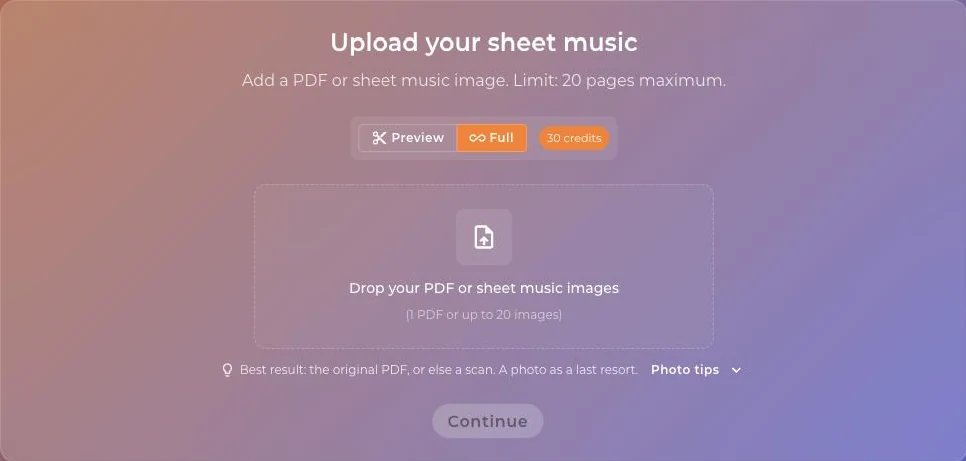
ScoreConvert accepts a PDF or JPG, PNG or WEBP images, up to 20 pages.
- Open ScoreConvert.
- Drop your PDF or images.
- Select the instrument of the sheet music, then follow the steps.
My file is rejected. What can I do?
See The conversion fails.
Was this article helpful?
In the same topic
Ready to try it?
Turn your songs into sheet music and MIDI files with the La Touche Musicale apps in the HUB.