
Transcription, extraction or arrangement: what's the difference?
The mode decides what the sheet music will contain: the song as it is played, a single instrument, or a version adapted for your instrument. You choose it after the import.
Which modes are offered?
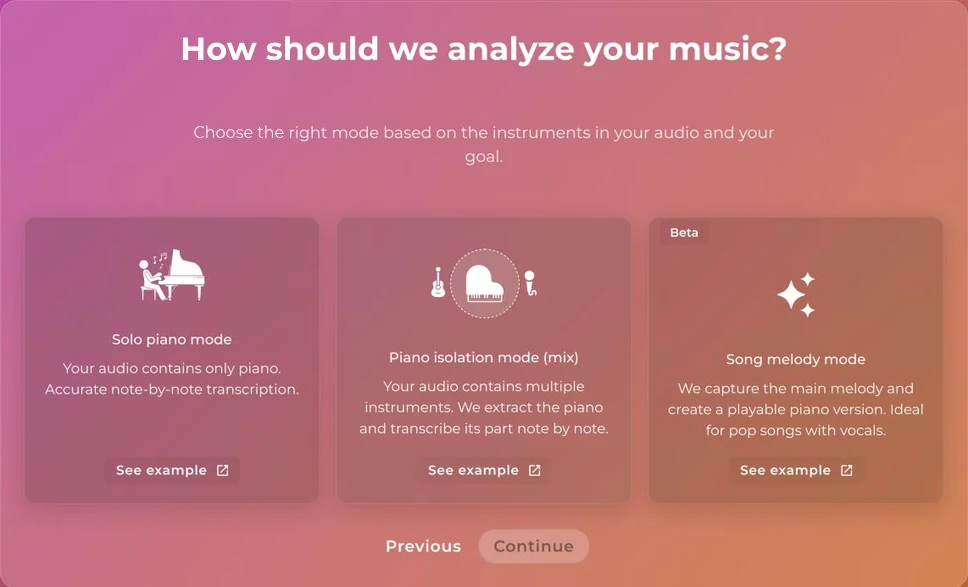
The name shown follows your instrument. In PianoConvert, for example:
- Solo piano mode (transcription): the song is transcribed as it is played. This mode is reliable for a song that contains only your instrument; each additional instrument reduces accuracy.
- Piano isolation mode (mix) (extraction): only the part of your instrument is extracted from the song, as it is played.
- Song melody mode (arrangement): a version for your instrument, with melody and accompaniment.
Arrangement carries a Beta badge: it is still experimental.
Which modes are available in each app?
- Most apps offer all three modes.
- DrumConvert offers transcription and extraction.
- BandConvert and ScoreConvert have no mode choice.
What do "simplified" and "complete" mean?
For an arrangement with PianoConvert, OrganConvert or GuitarConvert, you then choose the level. The simplified version has fewer notes and is easier to play. The complete version is the default arrangement.
Which one should you choose?
- Your song is played by your instrument alone: transcription.
- Your song has several instruments and you want a single part: extraction.
- You want to play the whole song on your instrument: arrangement, in the simplified version if you are a beginner.
To check the result, see Mistakes in the sheet music.
Was this article helpful?
In the same topic
Ready to try it?
Turn your songs into sheet music and MIDI files with the La Touche Musicale apps in the HUB.