
How do you add lyrics to vocal sheet music?
SingConvert and BandConvert can write the lyrics under the notes of the sheet music. You choose the sung language, or you ask for sheet music without lyrics.
In which apps?
In SingConvert and BandConvert.
Which languages are available?
English, French, German, Spanish, Chinese, Portuguese and Japanese.
A song in another language, for example Italian or Russian, is not supported: choose "No lyrics".
How do I choose the language?
- Start a SingConvert or BandConvert conversion and import your song.
- At the lyrics language step, click the card for the sung language. Another language is chosen with the matching option.
- To have no lyrics, choose "No lyrics".
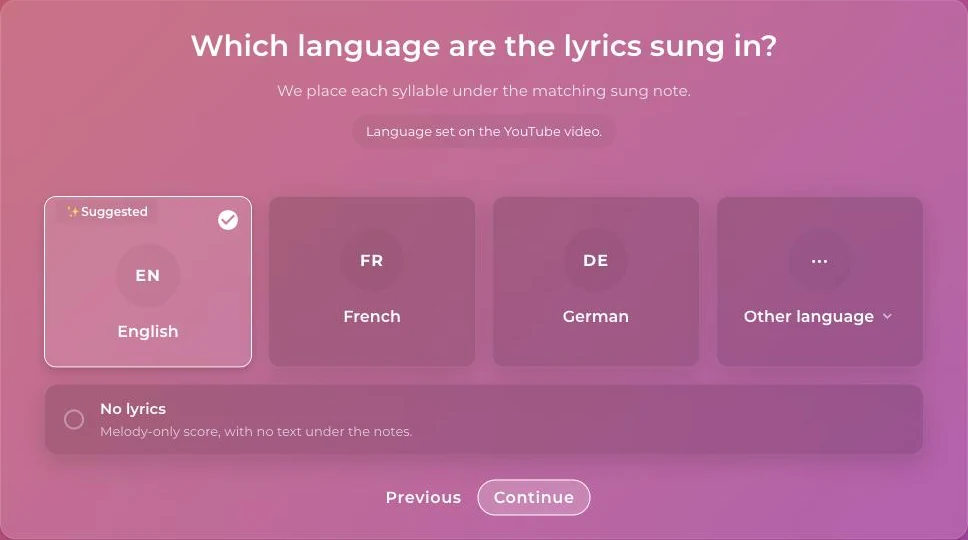
A language may already be selected for you, with a line explaining why. Check it and change it if needed.
Why did my sheet music come without lyrics?
Wrong or misaligned lyrics are worth less than sheet music without lyrics. When the quality check fails, the sheet music is therefore delivered without lyrics.
For better chances: import a song where the voice is clear, and declare the sung language correctly.
Can I edit the sheet music afterward?
Yes. If you edit the notes in the piano roll, the sheet music is regenerated and the lyrics are carried over to the new file. See Mistakes in the sheet music.
Was this article helpful?
In the same topic
Ready to try it?
Turn your songs into sheet music and MIDI files with the La Touche Musicale apps in the HUB.