
Download your files (PDF, MIDI, MusicXML) and find your conversions
The PDF is always free to download; the other formats require an active subscription or a conversion paid with credits. Your files stay available for 30 days after the conversion: download them before then.
How do I download my sheet music?
- Open the conversion (see below for how to find it).
- Click the Download button.
- Choose the format in the menu.
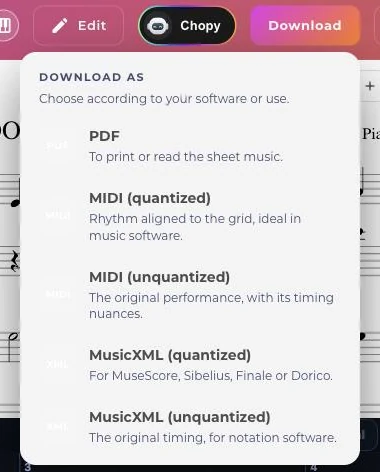
The menu lists the formats in this order: PDF, MIDI (quantized), MIDI (chords), MIDI (unquantized), MusicXML (quantized), MusicXML (unquantized), GP5, SVG. Only the ones that exist for your app appear.
Which format should I choose?
- PDF: the sheet music to read and print.
- MIDI (quantized): the rhythm is snapped to the grid; for listening, editing or importing into music software.
- MIDI (unquantized): the notes as they were played, without snapping to the grid.
- MIDI (chords): offered when the sheet music is in chord notation.
- MusicXML (quantized): to rework the sheet music in MuseScore, Sibelius, Finale or Dorico.
- MusicXML (unquantized): offered only in PianoConvert.
- GP5: for Guitar Pro, offered in GuitarConvert, BassConvert and BandConvert.
- SVG: offered in ScoreConvert.
ScoreConvert offers only MIDI, MusicXML, SVG and PDF.
Why are some formats locked?
The PDF is free. The other formats are unlocked in two ways: with an active subscription, or if the conversion was paid for with transcription credits. A free excerpt does not unlock the formats. Credits from the PianoGo learning apps do not count either.
For plans and credits, see Plans and credits.
How long do my files stay available?
30 days after the conversion. After that they are deleted: you need to run a conversion again to get them back.
Where do I find my conversions?
Two places:
- In the app: each app has its own list, at
/{app}/my-conversions(for example PianoConvert). It has search and sorting. - In your account: the sheet music section of My account gathers all your transcriptions, across all apps. The "View all my transcriptions" button opens the full list.
The old address /my-transcriptions redirects to this section of My account.
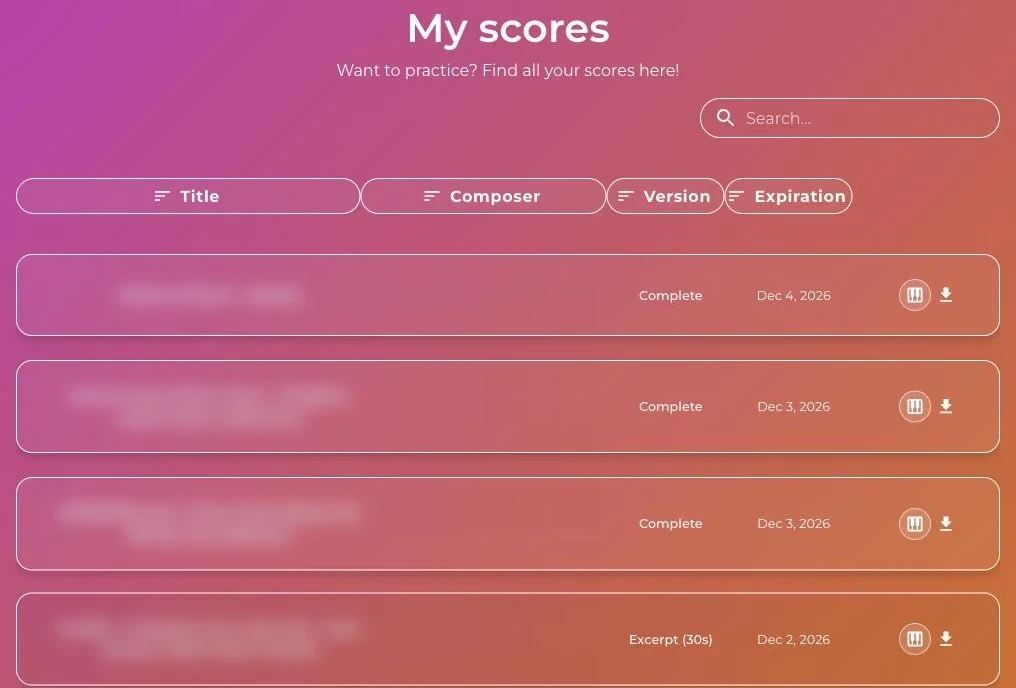
I can't find my conversion
Check in this order:
- It has expired: more than 30 days have passed, so run the conversion again.
- You are in another app: a GuitarConvert conversion does not appear in the PianoConvert list. Go through My account to see everything.
- You are signed in with another account: check the email address you signed in with.
If the conversion failed, see The conversion fails. To correct before downloading, see Editing with the editor.
Was this article helpful?
In the same topic
Ready to try it?
Turn your songs into sheet music and MIDI files with the La Touche Musicale apps in the HUB.