
How does the learning screen work?
The learning screen is where you play a song: the notes fall toward the keyboard, and you play them on your piano. Here is how to read it and set it up.
How do I open the learning screen?
Choose a song in the catalog, then start learning from its page. The screen opens on your computer. On a phone or tablet, PianoGo sends you to its app.
How do I connect my piano?
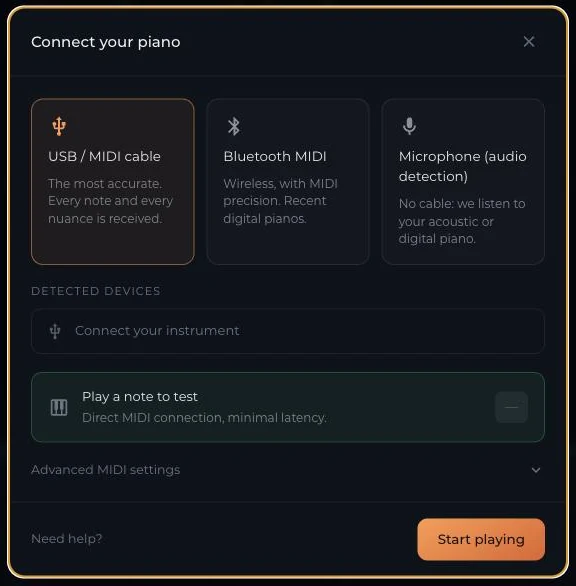
There are three connection modes: USB/MIDI cable (the most precise), Bluetooth MIDI (wireless, recent digital pianos) and microphone (no cable, acoustic or digital piano).
- On a computer: Connecting your piano
- Without a cable: playing with the microphone
- Piano not found: piano not recognized, recognized but nothing happens
What do the elements on the screen mean?
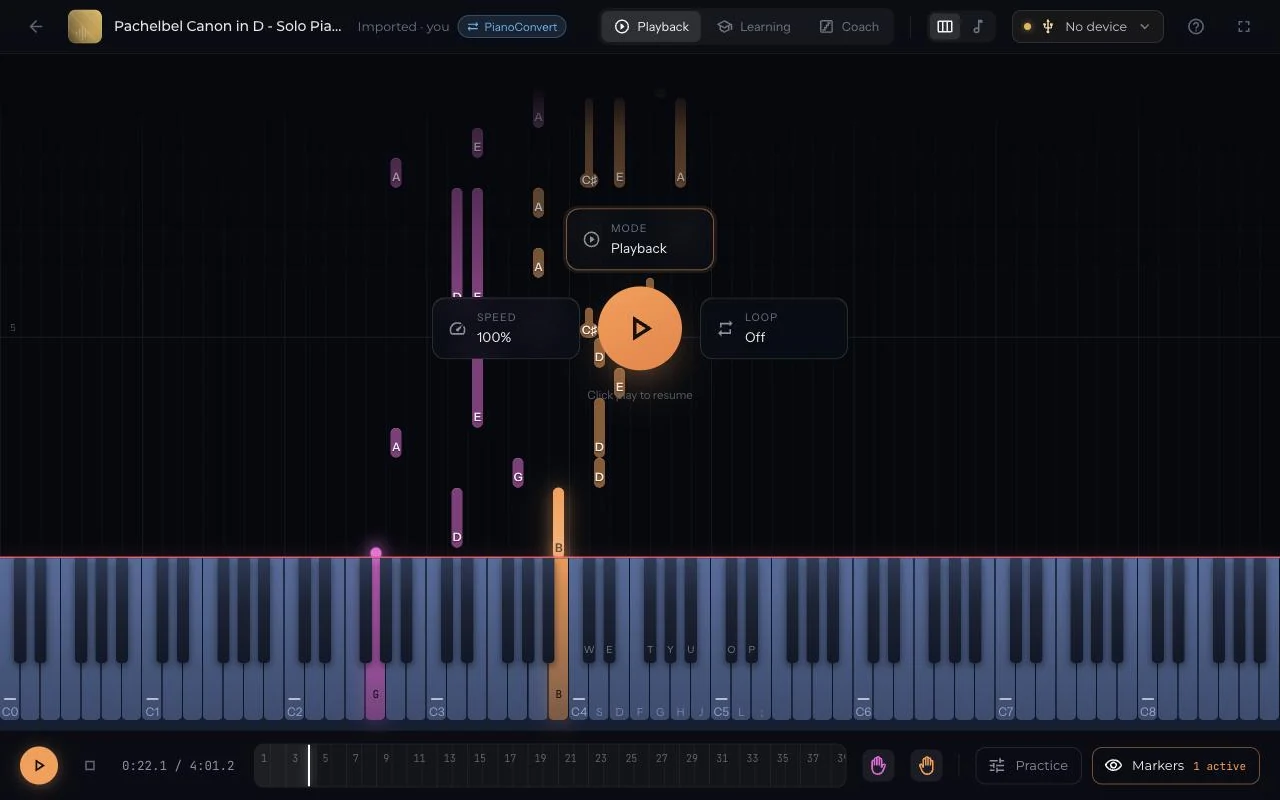
- A measure ruler, on which you drag the orange selection to create a loop.
- The Practice panel: loop, playing speed, metronome, volumes.
- The Markers panel: note names, fingering, hand colors, note counter.
- When paused, shortcuts to change mode, speed and loop, and to resume.
In Practice mode, the roll stops when PianoGo is waiting for your note, and shows the name of the note or notes it expects.
Details on each tool: learning features.
Was this article helpful?
In the same topic
Ready to try it?
Turn your songs into sheet music and MIDI files with the La Touche Musicale apps in the HUB.